
The ‘Telavivi’ website is committed to providing equal, accessible service to all its visitors. We strive to operate in accordance with the Equal Rights for Persons with Disabilities Law, 5773-2013, and its regulations. As part of our social responsibility, we invest ongoing effort in improving the site’s accessibility, so that every person can enjoy our content equally.
Please note that telavivi.news is a digital-only website, with no physical branch.
Introduction
The internet has become an essential space for personal expression and for activities such as buying, selling, work and exposure. We are therefore committed to providing a browsing experience that is comfortable and accessible to all users.
We have invested significantly to ensure the site is accessible, convenient and easy to use for people with disabilities as well, out of the belief that every person is entitled to freedom and independence — in the digital world too.
How Accessibility Works on the ‘Telavivi’ Site
This site uses the Enable accessibility add-on, which helps make the site accessible to people with disabilities.
The telavivi site is compatible with the leading browsers: Chrome, Firefox, and Explorer 9 and above.
User Guide for the Accessibility Menu
There are two ways to open the accessibility menu:
1. Click the accessibility button in the bottom corner of the screen. Clicking the wheelchair icon opens the accessibility menu.
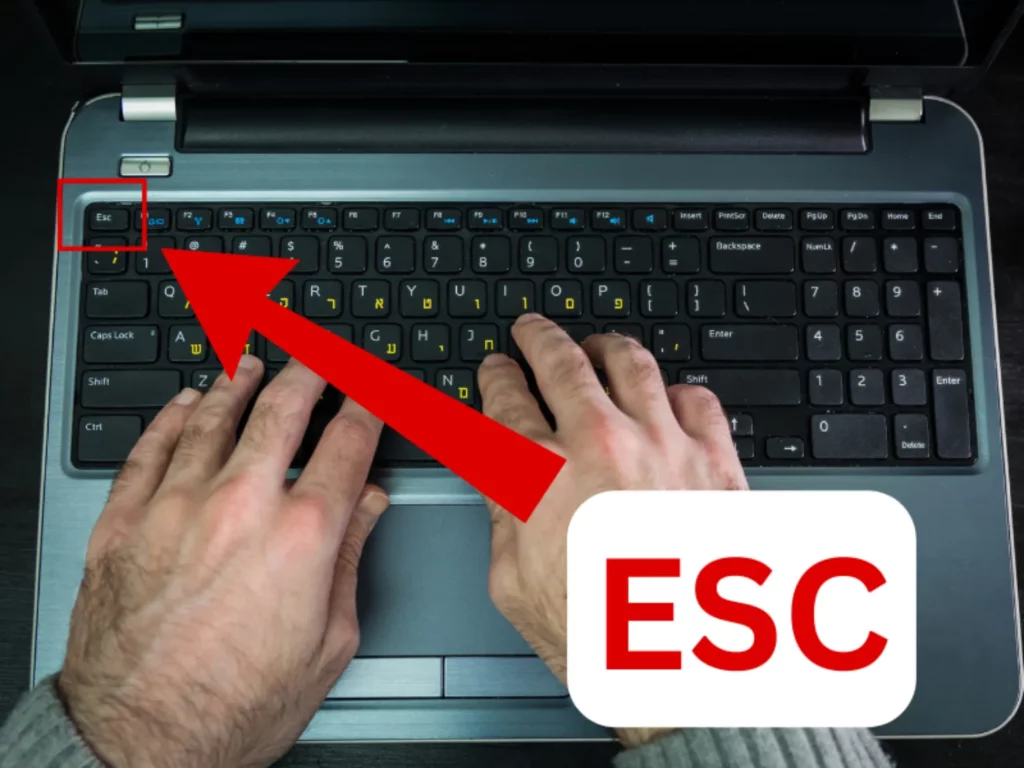
2. Press the ESC key, located at the top-left corner of the keyboard (next to the F1 key). Pressing ESC opens the accessibility menu.
What Options Does the Accessibility Menu Include?
- A button that adapts the site and its tags for assistive devices and technologies used by people with disabilities.
- A button enabling keyboard navigation between the links on the site.
- A button that stops flashing and/or moving elements on the screen.
- A button enabling a black-and-white monochrome mode for the color blind.
- A sepia button (warm tone).
- A high-contrast button.
- A black-and-yellow button.
- A color-inversion button.
- A button that clearly highlights all the heading tags on the site.
- A button that clearly highlights all the links on the site.
- A button that shows the alternative description of every image on the site on mouse hover.
- A button that shows a fixed description of the site’s images.
- A button that turns off the readable font.
- A button that increases the font size on the site.
- A button that decreases the font size on the site.
- A button that enlarges the entire display to about 200%.
- A button that shrinks the entire display to about 70%.
- A button that enlarges the mouse cursor.
- A button that enlarges the mouse cursor and turns it black.
- A site reading-mode button.
- A button that displays the accessibility statement.
- A reset button that turns accessibility settings off.
- A button for sending accessibility feedback.
- A button that changes the widget’s language and the accessibility statement accordingly.
Encountered an Accessibility Problem on the Site?
We are committed to making our site accessible to all people, with and without disabilities. If you had difficulty browsing the site or reading its content, we apologize and ask you to report it to us, and we will work to fix the problem promptly.
To help us handle the problem in the best way possible, please include as many details as you can:
- A detailed description of the problem
- What action were you trying to perform?
- On which page of the site did you encounter the problem?
- Which browser are you using, and which version?
- Which operating system are you using?
- What type of assistive technology do you use (if any)?
How to Send Accessibility Requests and Suggestions
You are welcome to contact us with any question, comment or suggestion for improvement regarding accessibility.
Accessibility Coordinator Details for telavivi.news
- Accessibility contact person: Pazit
- Email: [email protected]
- Availability: Sunday-Thursday, 7:00-14:00.